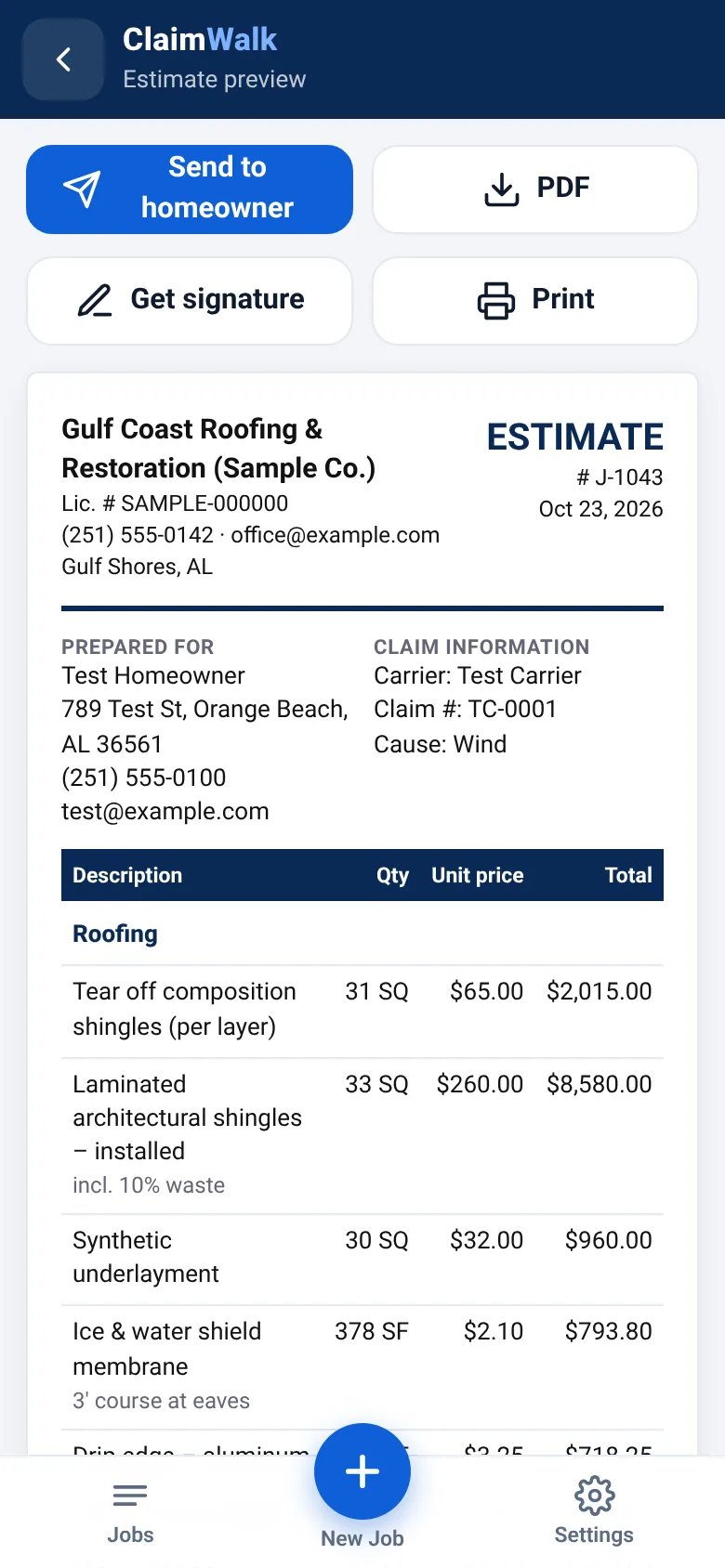
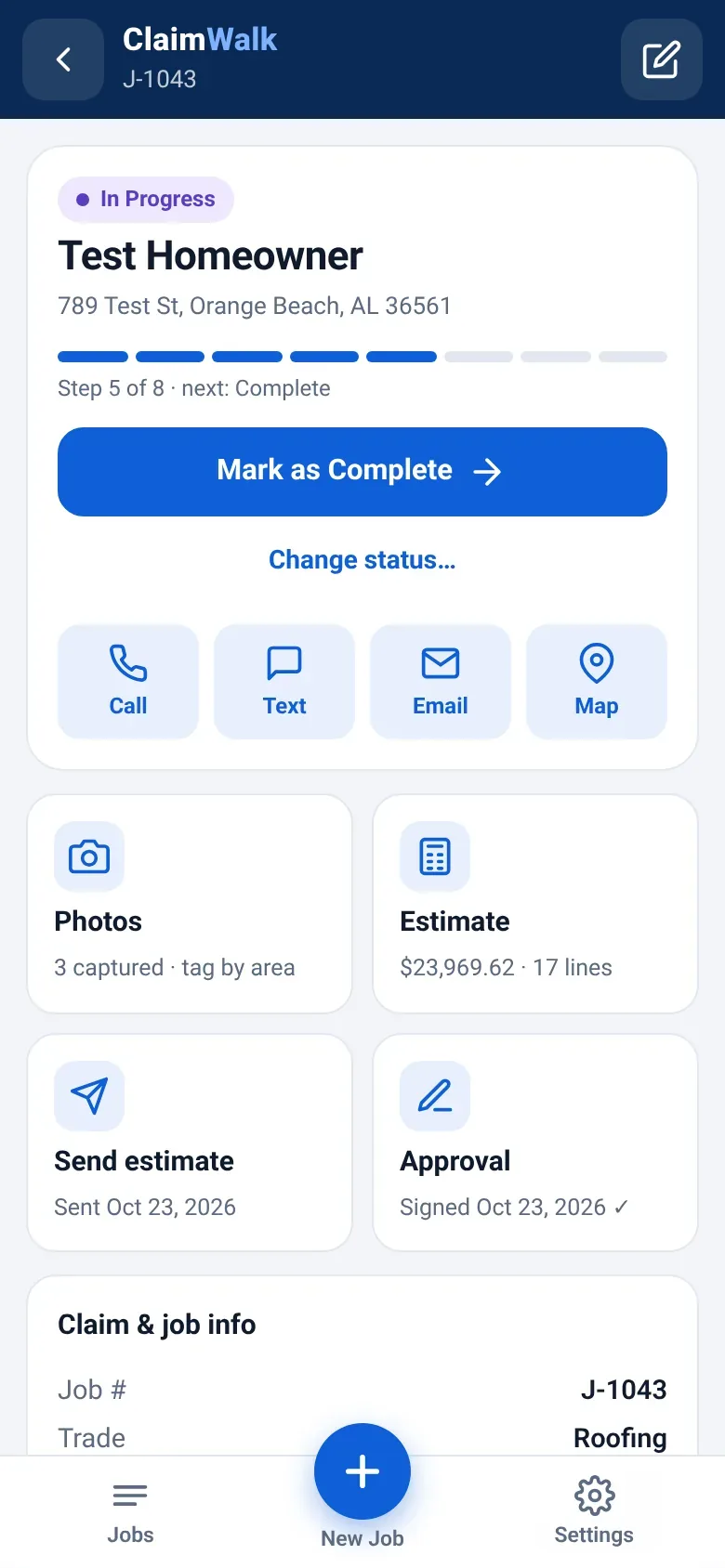
ClaimWalk turns your phone into the whole job: snap tagged photos, punch in a few measurements, and hand the homeowner a branded, claim-ready estimate before you’re back in the truck. Then track it from lead to paid.
The estimate shouldn’t wait until 10 p.m. at the kitchen table.
How it usually goes
Photos scattered across a camera roll with no labels, no order, no captions.
Measurements on a notepad, retyped later into a spreadsheet or word processor.
Estimate goes out days later — while the homeowner talks to the next contractor.
Thin documentation means back-and-forth with the adjuster and supplements that stall.
Job status lives in your head, a whiteboard and a dozen text threads.
How it goes with ClaimWalk
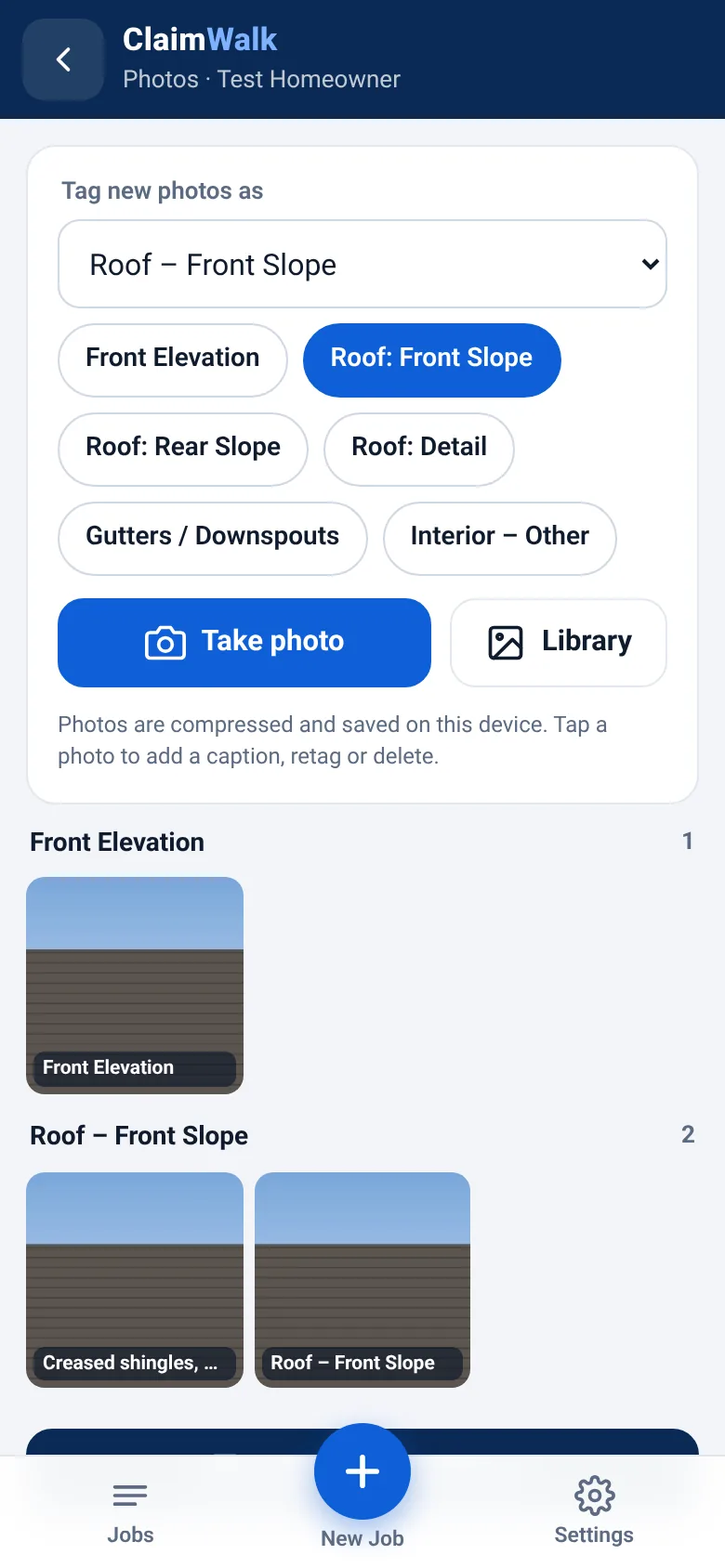
Every photo tagged by elevation or area as you shoot, with captions, organized into a photo report.
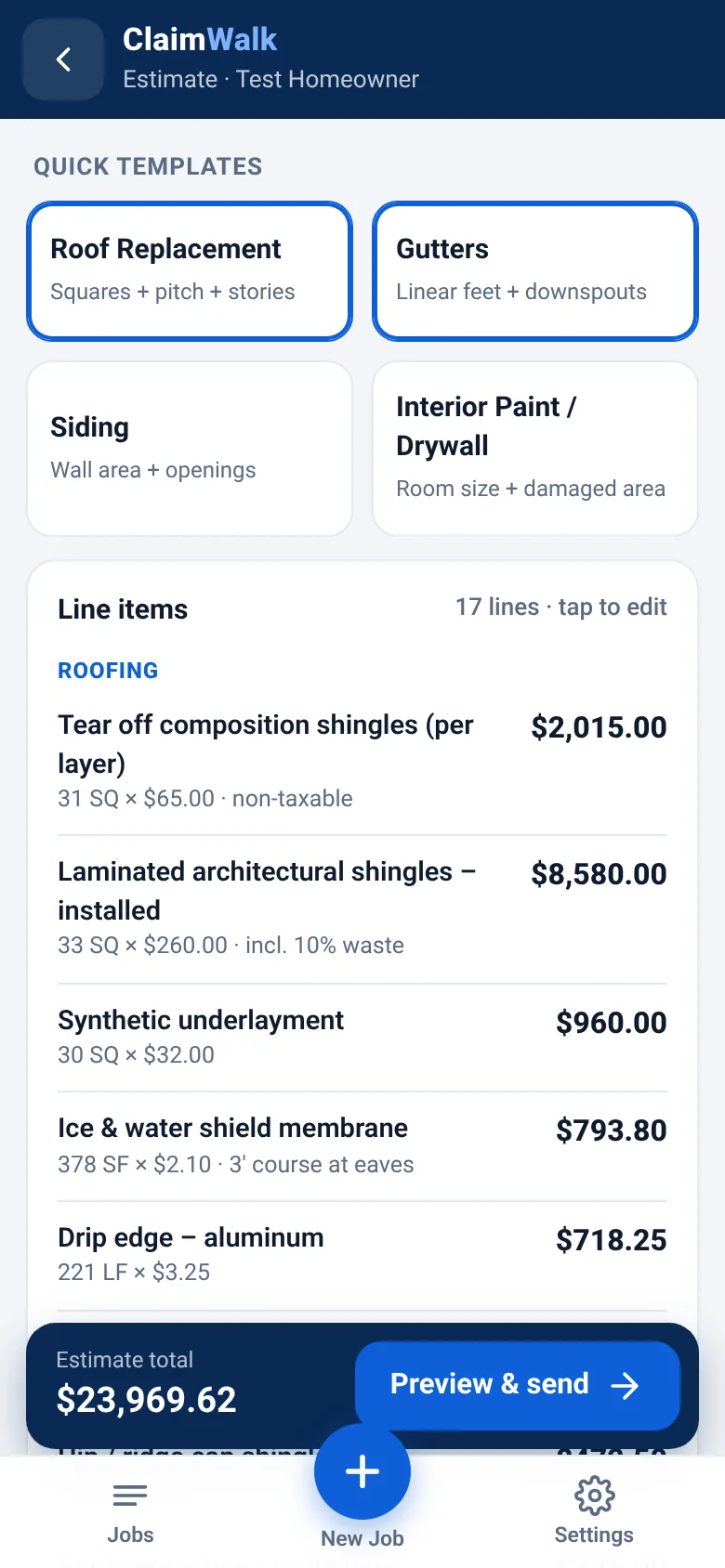
Templates do the math — enter squares, pitch and stories; get itemized line items.
Branded estimate sent from the driveway by text, email or share sheet.
Claim-ready by design: carrier, claim #, cause of loss, O&P, tax and photos, all in one document.
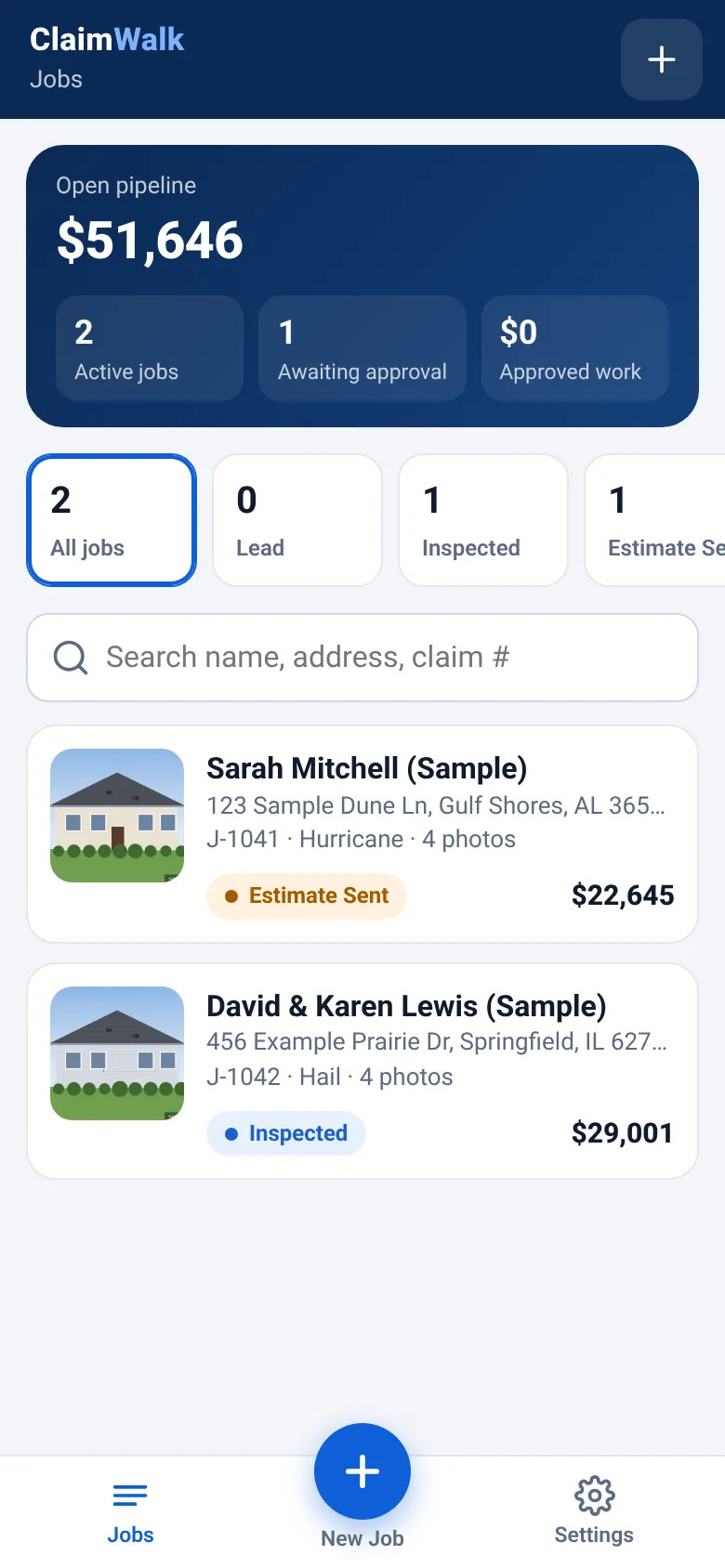
One pipeline from lead to paid, with a timestamped activity log for every job.
How it works
Three steps. One visit.
From the first photo to a signed estimate without leaving the property.
01
Snap & tag
Take photos and tag each one to an area — front elevation, roof slopes, gutters, interior. Add a caption with a tap. Photos are compressed for fast sending.
02
Build the estimate
Pick a template, enter a few numbers, and ClaimWalk generates itemized line items with waste, tax and overhead & profit. Edit any line, use your own unit costs.
03
Send, sign, track
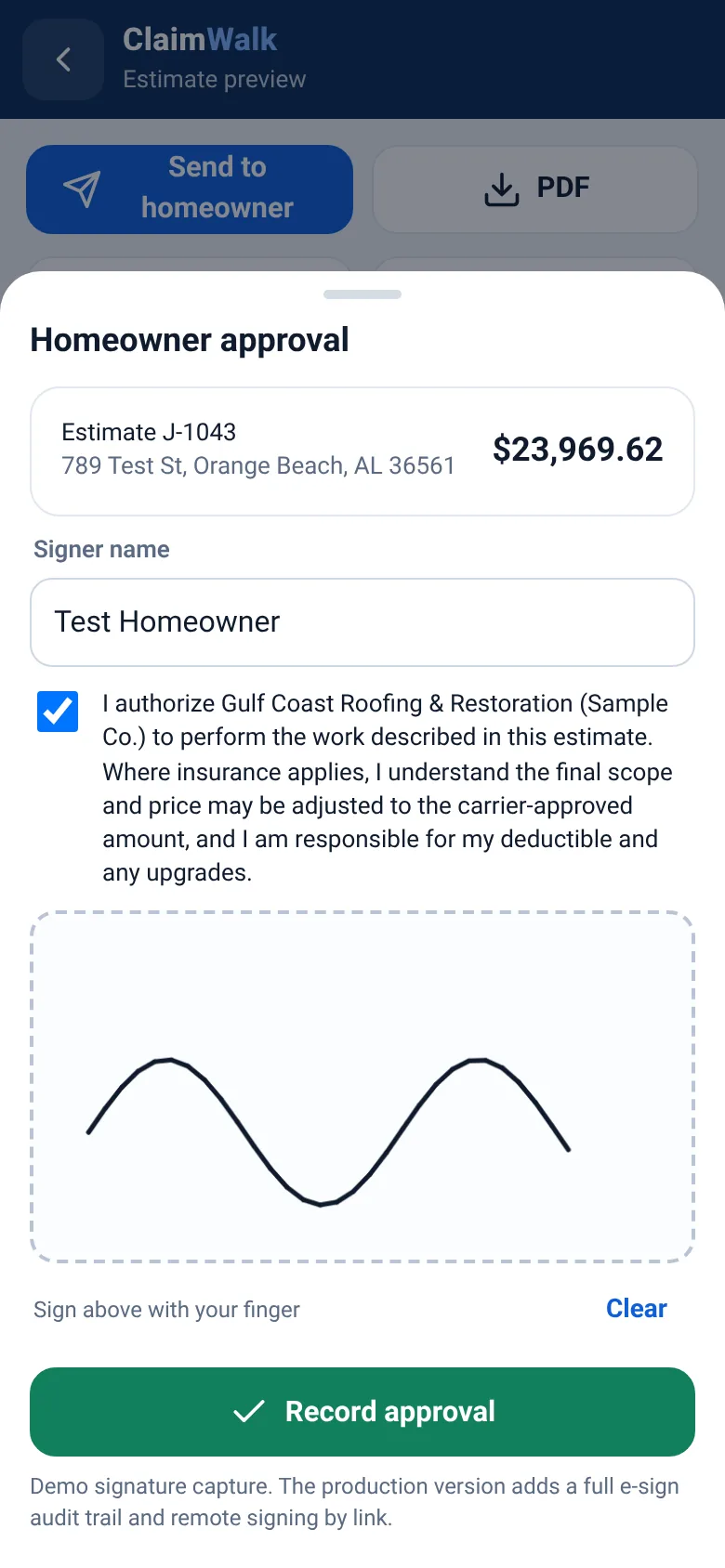
Send a branded PDF estimate and photo report to the homeowner, capture their signature on the spot, and move the job through your pipeline to paid.
Opens the live demo with sample jobs. Demo data stays on your device.
Features
Everything between the ladder and the deposit.
In the demo
Claim-documentation-quality estimates
Itemized by trade with quantities, units and notes. Carrier, claim number and cause of loss on the cover. Overhead & profit and tax broken out. A photo report organized by area. Your logo, license and contact info on every page.
In the demo
Tagged photo capture
Shoot from camera or library, tag by area, caption, retag. Photos land in the right section of the report automatically.
In the demo
On-site signature
Homeowner reviews and signs with a finger. Signed PDF and a timestamp land on the job.
In the demo
Lead-to-paid pipeline
Eight stages from Lead to Paid, open pipeline value at a glance, search by name, address or claim #, and a full activity log.
In the demo
Installs like an app
A progressive web app: add it to your home screen from Chrome or Safari. No app store, no IT department.
Rolling out with the pilot
Multi-option proposals
Present good / better / best — or insurance scope vs. upgrade — in one proposal, and let the homeowner choose.
Rolling out with the pilot
Change orders
Hidden rot, extra layers, an added room — document it with photos, price it, and get it signed before the work.
Rolling out with the pilot
Internal profit reports
See cost, margin and profit per job and across the pipeline — for your eyes only, never on the homeowner’s copy.
Rolling out with the pilot
Remote e-signature & delivery
Send from your company address with open tracking, and let homeowners sign by link with a full audit trail.
Coming soon
Payments with Stripe
Collect deposits and final payments by card from the same link the homeowner used to approve.
Built for your trade
Same workflow. Your line items.
Storm damage, documented the way claims get reviewed.
Room-by-room photos with captions for clear documentation
Change orders for what you find behind the wall
Branded estimate and signature before you leave
In the demo Interior paint / drywall
~30years in construction
Built by a public adjuster
Designed from the other side of the claim.
ClaimWalk was built by John Nicketta, a licensed public adjuster with Ripple Public Adjusting and roughly 30 years in construction. He’s spent his career on both sides of the table: building the work, and documenting it for insurance claims.
That’s why ClaimWalk focuses on what a claim file actually needs — organized photos, itemized scope, clear claim information and a signed approval — and gets it done while you’re still standing in the driveway.
ClaimWalk is independent software. It is not affiliated with, endorsed by, or approved by any insurance carrier.
Why ClaimWalk
Made for claim work, not adapted to it.
Qualitative comparison of ClaimWalk with general-purpose tools and paper workflows
Capability
ClaimWalk
General-purpose apps
Paper + spreadsheets
Designed around insurance-claim documentation
✓ Core focus
Varies — often an afterthought
✕
Photos tagged by area into a report
✓ As you shoot
Varies
Manual sorting
Estimate finished before you leave
✓ Templates + phone
Often desktop-first
Back at the office
Claim info (carrier, claim #, cause of loss) on the estimate
✓ Built in
Custom fields, if any
Typed by hand
Homeowner signature on site
✓
Sometimes an add-on
Paper form
Lead-to-paid job pipeline
✓
Often a separate tool
Whiteboard
Built by a licensed public adjuster
✓
—
—
General, qualitative comparison by category. Individual products vary.
Pricing
Pricing coming soon.
Plans are being finalized with pilot contractors. Join the pilot to hear first.
No. ClaimWalk is a progressive web app. Open it in Chrome or Safari on your phone and choose “Add to Home Screen” or “Install app” — it gets its own icon and opens full screen like any other app.
Will the carrier accept my ClaimWalk estimate?
ClaimWalk is built to produce clear, itemized, photo-documented estimates with the claim information an adjuster needs to review. Acceptance always depends on the carrier, the policy and the claim — ClaimWalk isn’t affiliated with or endorsed by any carrier.
Can I use my own prices and branding?
Yes. Add your company name, logo, license and contact details, and set your own unit costs. The sample prices in the demo are placeholders only.
Which trades does it support?
Roofing and exterior restoration (roof, gutters, siding) and interior paint/drywall templates are in the demo today. Fencing and more interior remodel templates are being built with pilot contractors.
Where is my data stored in the demo?
The demo stores jobs, settings and photos only on your device, so you can try it without an account. Nothing you enter is uploaded.
Can homeowners pay through ClaimWalk?
Card payments through Stripe are on the roadmap. Today, ClaimWalk tracks jobs through Invoiced and Paid stages.
How much does it cost?
Pricing is coming soon and will be shaped with pilot contractors. Join the pilot below and you’ll be the first to know.
What does the pilot involve?
Using ClaimWalk on real jobs and telling us what works and what doesn’t. Fill out the form below and we’ll reach out with details.
Join the pilot
Put ClaimWalk in your truck.
We’re looking for roofing, restoration, fencing and interior contractors who want to shape the tool they’ll use every day. Tell us about your business and we’ll be in touch.